How to Redesign Your Website Without Losing Google Rankings
A new design should bring more traffic, not less. This step-by-step migration checklist covers URL mapping, 301 redirects, content, structured data and the first weeks after launch.
 pasindukw
· 7 min read

A website redesign is exciting: a fresher look, faster pages, better messaging. It is also one of the most common reasons businesses lose search traffic. The new site goes live, everyone celebrates, and a few weeks later the phone is quieter than it should be. Usually nothing was “penalised”. Pages simply disappeared from the places Google expected to find them.
In this guide
The good news is that a redesign done carefully keeps your hard-earned rankings and often improves them. This is the process we follow when we rebuild sites — from home-service companies to content publishers — on a custom WordPress theme.
Why a website redesign loses traffic
Search engines rank individual URLs, not “your website” as a whole. Each page has its own history: the links pointing to it, the queries it ranks for and the signals it has collected over years. A redesign puts all of that at risk in a few predictable ways:
- URLs change without redirects. The old address returns a 404 error, and its history is thrown away.
- Content is cut. A “cleaner” design removes the paragraphs, FAQs or service details that matched what people were searching for.
- Pages are merged or deleted without checking which ones actually brought visitors.
- Technical settings are copied from the staging site — most famously, a “discourage search engines” setting left switched on.
- Internal links break, leaving important pages harder to reach.
- Titles, descriptions and structured data are forgotten in the move.
Every one of these is avoidable with preparation.
Stage 1: Benchmark the old site
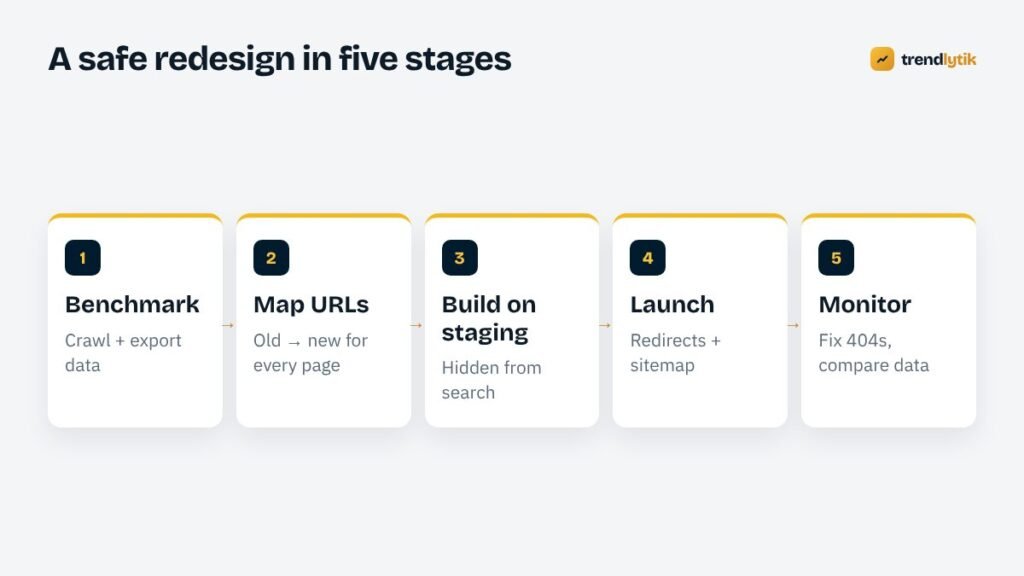
Before you change anything, record what you have. You cannot protect what you have not measured.
- Crawl the whole site. A crawler such as Screaming Frog SEO Spider (free for up to 500 URLs) lists every page, title, meta description, heading, status code and internal link.
- Export performance data from Google Search Console — pages and queries for at least the last three months, ideally twelve. Do the same in Bing Webmaster Tools if Bing sends you traffic.
- Export analytics landing pages, so you know which pages bring visitors and enquiries.
- List your backlinks. Search Console’s Links report shows the pages other websites link to. Those URLs must never break.
- Save copies of key pages — screenshots and the HTML — so you can compare content later.
From this data, mark your money pages: the URLs that bring traffic, links or leads. They get the most care.
Stage 2: Plan content and URLs
Decide what happens to every existing page. There are only four options:
- Keep — the same URL on the new site, with content kept or improved.
- Move — a new URL, with a 301 redirect from the old one.
- Merge — combine several thin pages into one stronger page, redirecting each old URL to it.
- Remove — pages with no traffic, no links and no purpose. Let them return 404 or 410, or redirect them to the closest relevant page if a genuine equivalent exists.
Keeping URLs unchanged is always the safest option. Change them only when the new structure is clearly better — for example, moving scattered pages into a logical /services/ section.
Resist the urge to “clean up” content on money pages. If a long service page ranks well, its depth is probably why. Redesign the layout around the content rather than cutting the content to fit the layout.
Stage 3: Build the redirect map

The redirect map is a simple spreadsheet: old URL in one column, new URL in the next, action in the third. Rules that keep it safe:
- Redirect one-to-one wherever possible — each old page to its closest new equivalent, not everything to the home page. Mass redirects to the home page are often treated like missing pages.
- Use 301 redirects for permanent moves.
- Avoid chains. If an old URL already redirects somewhere, point it straight to the final destination.
- Include variations: with and without trailing slashes, old file extensions such as
.htmlor.php, and the http and non-www versions if those change. - Cover images and PDFs that receive links or traffic, not just pages.
On WordPress, redirects can be handled at server level, through a redirect plugin, or in the theme. The method matters less than testing every row before launch.
Stage 4: Build on a hidden staging site
Build the new site on a staging address that search engines cannot index — protected by a password is best. While building, carry over everything that helps search engines understand your pages:
- Titles and meta descriptions for money pages, improved where useful but not thrown away.
- Heading structure — one clear H1 per page with logical H2s and H3s.
- Structured data such as Organization, LocalBusiness, Service, BreadcrumbList and FAQPage. See our guide to JSON-LD for WordPress themes.
- Internal links between related services, projects and articles.
- Image alt text and sensible file names.
- Performance. A redesign is the best moment to fix speed. Check the Core Web Vitals of key templates before launch, not after.
Stage 5: Pre-launch checklist
The day before launch, run through this list:
- Crawl the staging site and compare it with the old crawl. Every money page should exist or have a redirect.
- Test the redirect map automatically — every old URL should return a single 301 to the right destination.
- Confirm canonical tags point to the live domain, not the staging address.
- Check that the robots.txt file does not block important sections.
- Prepare the XML sitemap with live URLs only.
- Test every form, phone link and call to action on a real phone.
- Make sure analytics and conversion tracking are installed.
- Take a full backup of the old site and keep it.
Launch day
Launch at a quiet time for your business, not on a Friday afternoon. Immediately after going live:
- Switch off “discourage search engines” in WordPress under Settings → Reading. This one checkbox has cost businesses months of traffic.
- Remove any staging password and confirm pages return a 200 status.
- Submit the XML sitemap in Google Search Console and Bing Webmaster Tools.
- Spot-check redirects from your top twenty pages and backlink targets.
- Ping IndexNow if your setup supports it, so Bing and other participating engines discover changes quickly.
- If the domain itself changed, use the Change of Address tool in Search Console as well.
The first eight weeks
Some movement in rankings during the first weeks is normal while search engines recrawl and reassess the site. What matters is the trend. Each week:
- Check Search Console for new 404 errors and add redirects for any that matter.
- Compare clicks and impressions for your money pages with the benchmark.
- Watch the Page Indexing report for pages unexpectedly excluded.
- Keep an eye on enquiries and sales, not only traffic.
If a specific page drops and stays down, compare the old and new versions side by side. Usually something important — a section of text, an FAQ, a heading — went missing.
Special cases that need extra care
Changing platforms
Moving from Wix, Squarespace or a hand-coded site to WordPress almost always changes URL patterns. Platforms add their own prefixes, file extensions and category paths. Export the full URL list from the old platform before you cancel the subscription — once the account is closed, that information is gone.
Changing domain name
A domain change is the riskiest kind of migration because every single URL changes. Redirect each old page to its exact equivalent on the new domain, keep the old domain registered and redirecting for years, verify both domains in Search Console and use its Change of Address tool. Avoid changing the design, the structure and the domain all at once if you can; separating them makes problems far easier to diagnose.
Merging two websites
Businesses sometimes combine a blog on one domain with a sales site on another. Treat the smaller site’s pages exactly like moved pages: map each one, redirect it to the most relevant page on the main site and move the content rather than discarding it.
Switching to HTTPS or removing “www”
Even a protocol or subdomain change is a migration. Redirect every variation to the single preferred version, update internal links so they point directly to it, and make sure canonical tags and the sitemap use it too.
A real-world example
When we rebuilt the site for All About Repair, the audit uncovered stale content targeting a city the business no longer focused on, and duplicate pages competing for the same searches. Rather than deleting those pages blindly, we mapped each one: duplicates were merged into the strongest version with redirects, and outdated location content was rewritten to match the current service area. The new theme then launched with the redirect map, structured data and booking system in place from day one.
Summary
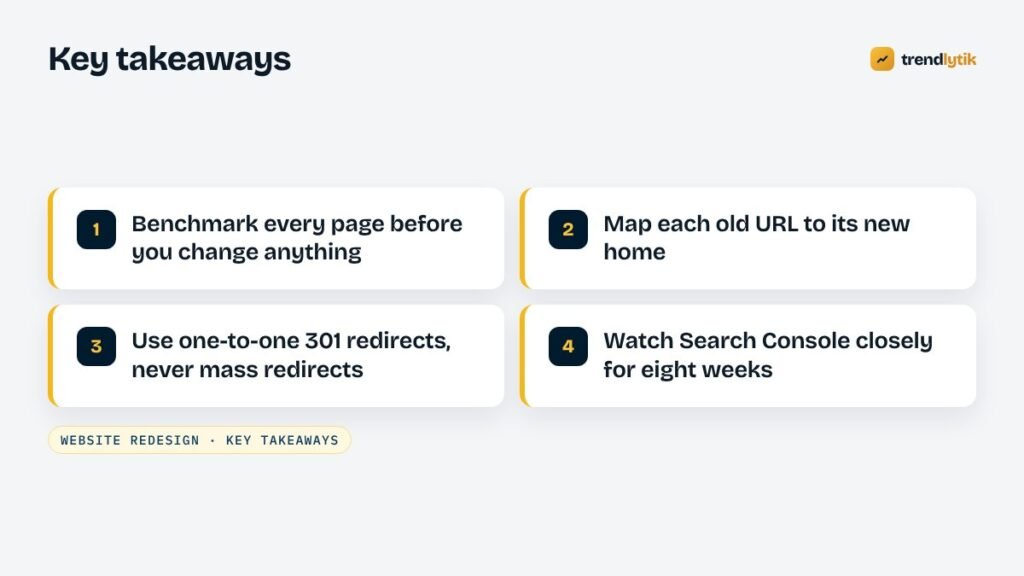
A redesign protects your rankings when you treat existing URLs as assets: measure them, keep or improve the content that earns traffic, redirect every page that moves, and watch the data closely after launch. None of it is complicated, but all of it needs doing before the new site goes live.
Planning a redesign? Tell us about your current site and we will include a migration plan in your proposal.
Sources and further reading
- Google: site moves with URL changes — Google's own guidance for moving pages and domains.
- Screaming Frog SEO Spider — crawl the old and new site to compare every URL.
Questions about this topic.
Will my rankings drop after a redesign?
Short-term fluctuations are normal while search engines recrawl the site. If URLs are redirected properly and the important content is kept or improved, rankings usually settle back and often improve. Big, lasting drops are almost always caused by missing redirects or removed content.
Should I use 301 or 302 redirects?
Use 301 (permanent) redirects for pages that have moved for good. A 302 tells search engines the move is temporary.
How long should I keep redirects in place?
Treat them as permanent. Old links from other websites, bookmarks and emails keep sending visitors for years.