9 Practical Ways to Use AI on Your WordPress Site (and the Guardrails You Need)
Skip the hype. These are nine AI features that save real time on WordPress sites — from product descriptions to nutrition analysis — plus the guardrails that keep them accurate and affordable.
 pasindukw
· 7 min read

Almost every WordPress plugin now claims to be “AI-powered”. Most of these features are a text box that sends your words to a language model and pastes back whatever comes out. That is fine for a demo and risky for a business: AI can produce confident, well-written text that is simply wrong. This guide covers AI for WordPress that genuinely earns its place.
In this guide
We build AI features with Anthropic’s Claude models into WordPress sites every week — on client projects and on the sites we run ourselves. This article covers nine uses that consistently save time, and the guardrails we put around every one of them.
Start with the right question
The best AI features do not replace people. They remove the slow, repetitive first step of a task so that people can spend their time on judgement. Before building anything, ask:
- Which task does someone on the team repeat every week?
- What information does the task need, and is that information reliable?
- Who will check the result before it reaches customers?
- What would a mistake cost?
A task with reliable inputs, a human checkpoint and a low cost of error is a great candidate. A task that needs facts nobody has supplied is not.
1. A draft writer that works from your sources
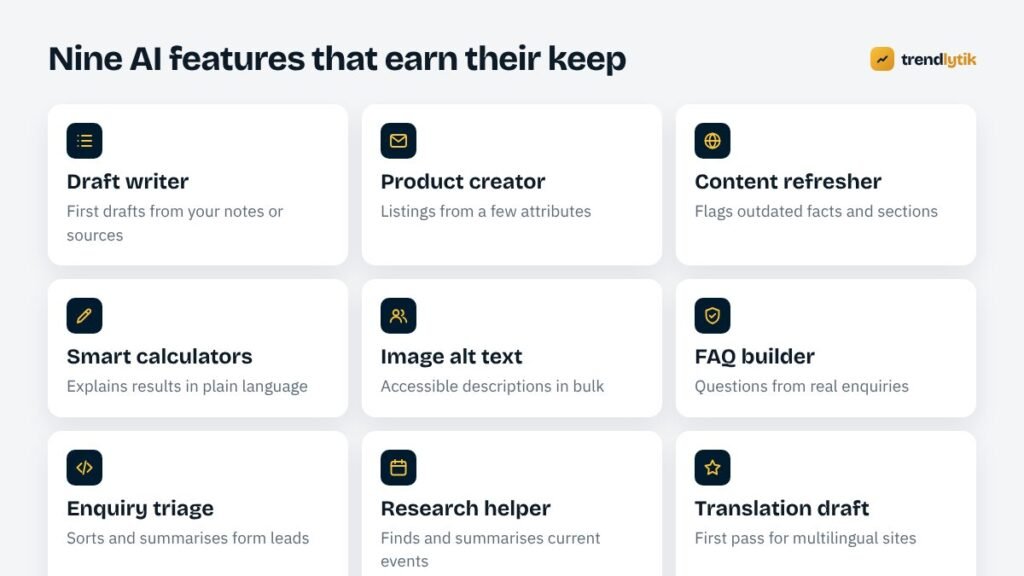
The most common request is help with blog content. The useful version does not invent articles from nothing; it drafts from material you provide — your notes, a product sheet, an interview transcript or a set of trusted sources such as industry RSS feeds. Our own drafting plugin, TK Writer, ingests sources, writes in a defined house style, marks where affiliate or internal links belong and saves everything as a draft for review.
2. A product creator for WooCommerce
Store owners often have dozens of products waiting for descriptions. An AI product creator turns a few attributes — material, size, use, audience — into a consistent title, description, bullet points and meta description. We built one for Dquills. The key rule: the AI may only describe attributes that were supplied. No invented certifications, awards or measurements.
3. A content refresher
Older articles go stale: prices change, products are discontinued, advice evolves. An AI assistant can review a post and flag sentences that look time-sensitive or out of date, so an editor knows exactly where to look. It does not rewrite on its own; it points.
4. Smarter calculators and tools
Interactive tools attract visitors and links. Adding AI can make results easier to understand — for example, explaining in plain language what a nutrition breakdown means for a meal. On NutrientsCalculator the AI food analyzer runs on a small, fast Claude model, while the nutrition numbers themselves come from a proper database rather than the model’s memory.
5. Image alt text in bulk
Many sites have thousands of images without alt text, which hurts accessibility and image search. A vision-capable model can draft descriptive alt text for each image. Editors review a batch at a time and fix anything that misses the context of the page.
6. An FAQ builder from real questions
Your contact forms, emails and chat logs are full of the questions customers actually ask. AI can group them into themes and draft clear answers for your FAQ pages — answers your team then checks. The result is content that matches real search intent, which tends to perform well.
7. Enquiry triage
For businesses that receive many enquiries, AI can summarise each one, suggest the service it relates to and flag urgent requests. The enquiry still goes to a person; it simply arrives organised.
8. A research helper for timely content
Some sites publish around events — matches, launches, seasonal changes. Claude’s web search tool lets an assistant find and summarise current information with sources. On CricGuides this powers match discovery for the Fantasy Predictor, with an editor-facing form for anything the search misses.
9. First-draft translation
For multilingual sites, AI produces a solid first draft of a translation that a fluent reviewer then polishes. It is far faster than translating from scratch, and the reviewer catches the nuances that matter to local readers.
The guardrails every AI feature needs
Trusted inputs
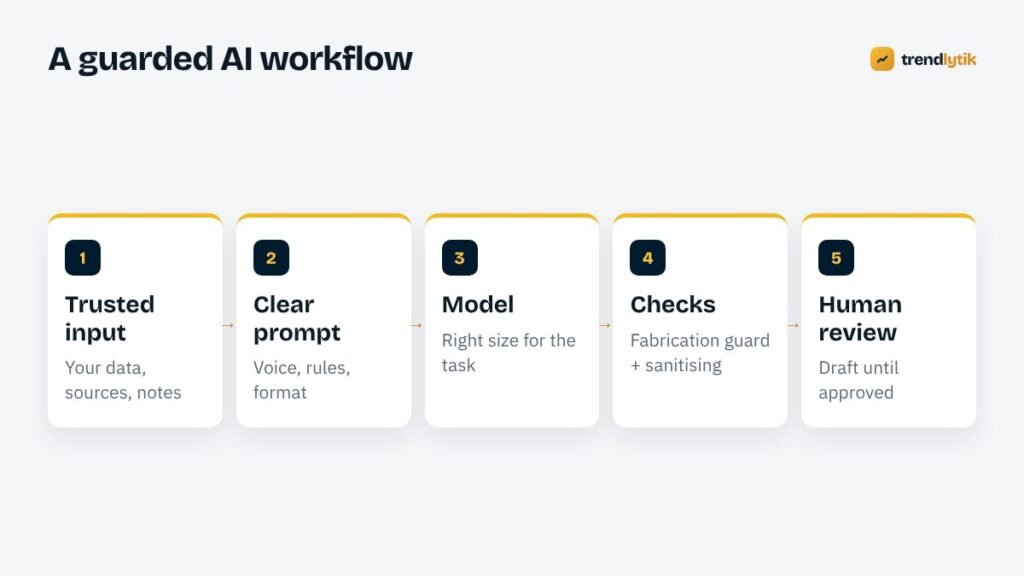
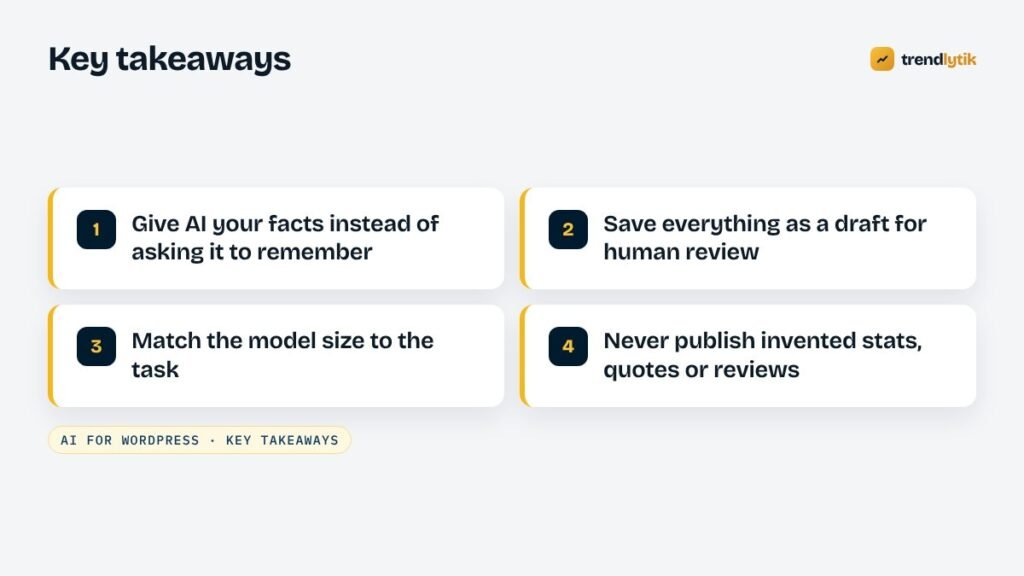
Language models are excellent at writing and reasoning over material they are given, and unreliable at recalling precise facts. Give the model the facts it needs — product data, database values, your own notes — rather than asking it to remember them.
Clear instructions
A good prompt defines the voice, the audience, the format and the rules: no invented statistics, no fake quotes or reviews, no claims about the business that were not supplied. These instructions are written once, tested and reused.
The right model for the job
Large models are not always better. Short, structured tasks such as alt text or product attributes run well on smaller, faster, cheaper models. Longer reasoning and nuanced writing justify a larger one. Matching model to task is the biggest cost control there is.
Prompt caching
Long instructions — style guides, niche background, formatting rules — are often identical on every request. Claude’s prompt caching lets that repeated part be reused, which reduces cost and speeds up responses for every run after the first.
A fabrication guard
After generation, automated checks look for warning signs: numbers that were not in the inputs, quotation marks around invented speech, testimonials, superlatives such as “best in the world”. Flagged drafts are highlighted for the reviewer.
Sanitising output
AI output is untrusted input like anything else submitted to your site. Strip disallowed HTML, validate structure and escape it properly before saving.
Human review
Everything lands as a draft. A person reads it, fixes it and decides whether it goes live. That single step is what separates useful AI from embarrassing AI.
Hosting realities
Many shared hosts limit how long a PHP request can run, and some block outbound connections from the server. Long AI tasks therefore need to run in small batches, one item at a time, with progress shown in the admin. When the server cannot reach the API at all, an admin-only browser-side request can be a workable alternative — with strict limits on who can see the key. We explain both patterns in calling the Claude API from WordPress on restricted hosting and batch processing under a 60-second limit.
A worked example: from idea to working feature
Here is how a typical AI feature comes together on a client site — in this case, an online store with hundreds of products and no time to write descriptions.
Week one: define the task. We agree what a good description looks like by picking five of the store’s best existing ones. They become examples in the prompt. We list the attributes every product has in the database — material, dimensions, colour, care instructions, intended use — and agree the rules: never mention anything not in the attributes, never compare with competitors, always end with care instructions.
Week two: build the tool. A screen in the WordPress admin lists products without descriptions. The editor selects a batch and presses Generate. Products are processed one at a time so no request runs into the host’s time limit, and a progress bar shows what is happening. Each result is checked automatically for numbers or claims that were not in the attributes, then saved as a draft revision.
Week three: review and tune. The editor reviews the first fifty, noting every change they make. Patterns in those edits — a phrase they always remove, a detail they always add — go back into the instructions. After a couple of rounds, most drafts need only light touches.
Ongoing: measure. We track the cost per description and the share of drafts approved without changes. When new product types arrive, the examples are updated.
The finished feature is not glamorous, but it turns weeks of copywriting into an afternoon of review — and every word that reaches customers has been read by a person who knows the products.
What not to do with AI
- Publish AI output without review.
- Generate hundreds of near-identical pages to target keyword variations.
- Create fake reviews, testimonials or statistics — ever.
- Put API keys in front-end JavaScript visible to visitors.
- Send personal or sensitive customer data in prompts unnecessarily.
Where to start with AI for WordPress
Pick one repetitive task with reliable inputs and a clear owner, build a small tool around it, and measure two numbers: time saved per item and how much the reviewer has to edit. When those numbers look good, expand. That is how AI becomes a dependable part of your website rather than a novelty.
Our Claude AI integration service follows exactly this approach, starting with a small prototype. Tell us the task you would love to hand off.
Sources and further reading
- Claude documentation — Anthropic's official API and prompt caching docs.
- Google: creating helpful content — how Google evaluates content, however it is produced.
Questions about this topic.
Will Google penalise AI-written content?
Google's guidance focuses on whether content is helpful and original, not on how it was produced. Mass-produced pages with little value can violate its spam policies whichever way they are made. Use AI to help people create better content faster, not to flood your site with thin pages.
How much does it cost to run AI features?
It depends on the model and how much text is processed. Choosing a smaller model for simple tasks, caching repeated instructions and limiting output length keep costs predictable. We report cost per item so there are no surprises.
Is my data safe?
Send only the data a task needs, keep API keys in admin-only settings and review your AI provider's data-use terms. For sensitive information, keep it out of prompts entirely.



1 comment