Batch Processing in WordPress Under a 60-Second PHP Limit
Imports, AI generation and image processing all time out on shared hosting. The one-item-at-a-time AJAX queue fixes it — here is the full pattern, with resumability, retries and progress.
 pasindukw
· 8 min read
Import five hundred products, generate fifty AI drafts or regenerate two thousand image sizes in a single PHP request and you will meet your host’s execution limit long before the job finishes. On many shared plans that limit is around sixty seconds and cannot be raised. The result is a half-finished job, a white screen and no record of what actually completed. Reliable batch processing needs a different approach.
In this guide
The fix is not a bigger limit. It is a smaller request. This article walks through the queue pattern we use in plugins for route generation, product imports and AI publishing — on hosts where long requests are simply not an option.
Why one long request fails
A single request that loops over hundreds of items has several problems at once:
- It hits time limits — PHP’s
max_execution_time, the web server’s request timeout, or a proxy in front of the site. - It hits memory limits, because objects pile up as the loop runs.
- It fails silently. When the process is killed, there is no chance to report which item caused the problem or how far it got.
- It cannot be paused or resumed. Re-running it usually means starting again and creating duplicates.
- It blocks a PHP worker for the whole time, which on small plans can slow down the site for visitors.
A real example makes the problem concrete. Imagine importing a supplier spreadsheet of 800 products. Each row needs a product created, three images downloaded and resized, categories assigned and stock set. Even at two seconds per row, that is more than twenty-five minutes of work — far beyond any shared hosting limit. Split into 800 small requests, each finishing in a couple of seconds, the same job runs smoothly with a progress bar the whole way.
The pattern
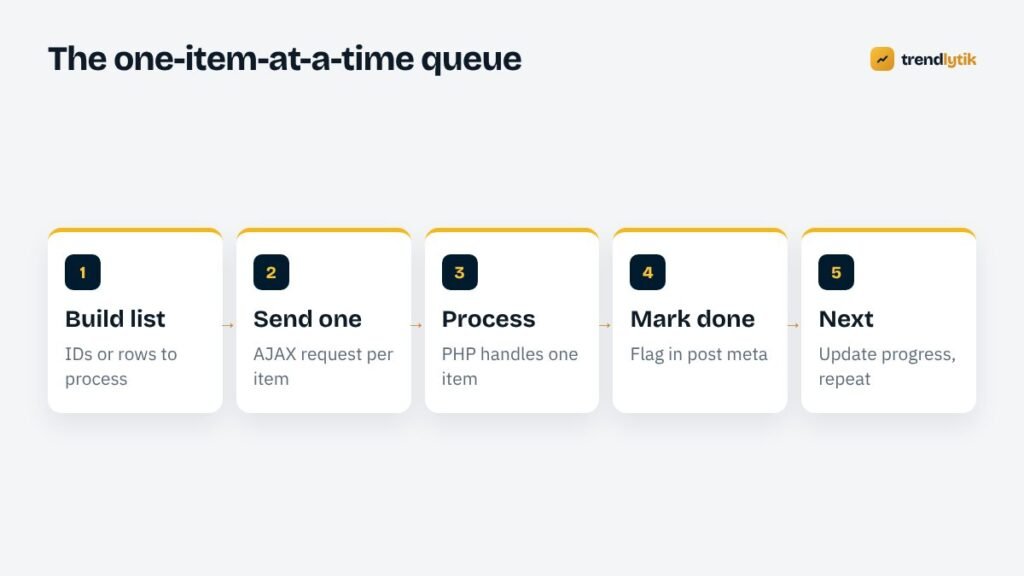
- The admin screen builds a queue: a list of post IDs, spreadsheet rows or tasks.
- JavaScript sends one item to the server.
- PHP processes that single item and returns a small JSON result.
- The item is marked as done so it is never processed twice.
- JavaScript updates a progress bar and sends the next item.
Each request finishes in seconds, so no request ever approaches the limit. If something fails, the queue knows exactly which item failed, can log the reason and can retry it.
Building the queue on the server
Start with an endpoint that returns the list of work. Keep it light — IDs only, not full objects.
add_action( 'wp_ajax_tk_queue_list', function () {
    check_ajax_referer( 'tk_queue', 'nonce' );
    if ( ! current_user_can( 'manage_options' ) ) {
        wp_send_json_error( 'forbidden', 403 );
    }
    $ids = get_posts( array(
        'post_type'      => 'product',
        'posts_per_page' => -1,
        'fields'         => 'ids',
        'meta_query'     => array( array(
            'key'     => '_tk_processed',
            'compare' => 'NOT EXISTS',
        ) ),
    ) );
    wp_send_json_success( $ids );
} );
Because the query skips anything already marked as processed, the same endpoint makes the job resumable for free.
Processing one item
add_action( 'wp_ajax_tk_process_item', function () {
    check_ajax_referer( 'tk_queue', 'nonce' );
    if ( ! current_user_can( 'manage_options' ) ) {
        wp_send_json_error( 'forbidden', 403 );
    }
    $id = absint( $_POST['id'] ?? 0 );
    if ( ! $id || get_post_meta( $id, '_tk_processed', true ) ) {
        wp_send_json_success( array( 'skipped' => true ) );
    }
    $result = tk_process_one( $id );          // your real work
    if ( is_wp_error( $result ) ) {
        wp_send_json_error( $result->get_error_message() );
    }
    update_post_meta( $id, '_tk_processed', time() );
    wp_send_json_success();
} );
Keep tk_process_one() focused on a single item: one import row, one API call, one image. If a single item can itself be slow — a long AI generation, for example — split it further, such as generating an outline in one request and each section in the next.
Driving the queue in the browser
async function runQueue() {
  const list = await post('tk_queue_list');
  const ids  = list.data || [];
  let done = 0, failed = [];
  for (const id of ids) {
    if (stopRequested) break;
    let ok = false;
    for (let attempt = 1; attempt <= 3 && !ok; attempt++) {
      const r = await post('tk_process_item', { id });
      ok = r.success;
      if (!ok) await wait(2000 * attempt);   // back off, then retry
    }
    if (!ok) failed.push(id);
    done++;
    progress(done, ids.length, failed.length);
  }
}
function post(action, data = {}) {
  const body = new FormData();
  body.append('action', action);
  body.append('nonce', tkQueue.nonce);
  Object.entries(data).forEach(([k, v]) => body.append(k, v));
  return fetch(ajaxurl, { method: 'POST', body }).then(r => r.json());
}
Three details make it pleasant to use: a visible progress bar with counts, a Stop button that finishes the current item and then pauses, and a list of failed items with their error messages so the editor can fix and retry them.
Making it robust
Retries with back-off
Temporary failures — a busy API, a brief database lock, a network blip — are normal. Retry a couple of times with an increasing delay before marking an item as failed.
Idempotency
Processing the same item twice should never create duplicates. Check for an existing result before creating one, and set the processed flag only after the work succeeds.
Rate limits
External APIs limit how many requests you can make per minute. A short pause between items, or a small fixed number of items in flight at once, keeps you comfortably inside those limits.
Logging
Store a short log of each run: when it started, how many items succeeded and failed, and the error messages. It makes support conversations much shorter.
Memory hygiene
Because each request handles a single item, memory resets between items automatically. That is one of the quiet advantages of this pattern over long loops.
Designing the admin screen
A queue is only as good as the screen that drives it. Editors should be able to understand what is happening at a glance and trust that nothing is being lost. The screens we build usually include:
- A clear summary before starting: how many items will be processed, what will happen to each one and roughly how long it may take.
- Options that change the scope, such as “only items without a description” or “only this category”, so editors can run small test batches first.
- A progress bar with numbers, not just a spinner — “142 of 500 · 3 failed” is far more reassuring than an animation.
- A live log of recent items with links to the post that was created or updated, so editors can spot-check results while the job runs.
- Stop and Resume buttons. Stopping finishes the current item cleanly; resuming picks up the remaining items.
- A failures list with a “Retry failed” button once the cause is fixed.
It is also worth warning editors not to close the tab while the queue runs, and showing a browser confirmation if they try. Because the job is resumable, closing the tab is not a disaster — but it is better not to surprise anyone.
Testing a queue before you trust it
Before running a queue on real content, test it on a staging copy of the site with a small batch. Check four things: that every processed item looks right, that re-running the queue skips finished items, that a deliberately broken item is reported as failed without stopping the rest, and that stopping and resuming works. Then try a larger batch and watch the server’s resource usage. Many hosts limit CPU or the number of simultaneous PHP processes, so a short pause between items can be the difference between a smooth run and a temporarily slow site.
Common mistakes
- Sending many requests in parallel to “speed things up”. It usually triggers rate limits or overloads small hosting plans. Run one at a time, or a small fixed number.
- Processing from an offset (“give me items 200 to 220”) instead of from a “not yet processed” query. If items change while the job runs, offsets skip or repeat them.
- Forgetting capability checks on the AJAX handler. A nonce alone is not permission.
- Doing the slow part before the check. Check whether an item is already processed before calling an API, not after.
- No cleanup. Remove processed flags you no longer need, or store them in one place so they are easy to reset.
When to use something else for batch processing

The browser queue is ideal for jobs an editor starts and watches: imports, AI drafts, route or page generation. Other tools suit other jobs:
- WP-Cron works for small recurring background tasks, such as sending a handful of reminder emails each hour. Remember it only runs when the site receives visits unless a real server cron job triggers it.
- Action Scheduler — the library WooCommerce uses — is excellent for large unattended queues that need retries and logging without anyone watching.
- WP-CLI is the best tool for one-off migrations when you have shell access, because command-line PHP typically runs without the web server’s time limits.
Real examples
On Sri Lanka Trail, route pages are generated from a matrix of origins and destinations in browser-driven batches, so an editor can create dozens of pages without ever touching a timeout. On NutrientsCalculator, AI recipe and food page generation uses the same queue, one item per request, with progress and failures shown in the admin.
How long will it take?
Editors always ask. A useful estimate is simple: time the first ten items, average them, and multiply by the number remaining. Show that estimate in the progress area and update it as the run continues. For jobs that call external APIs, the API’s response time dominates, so a queue of a few hundred AI drafts may take a while — which is exactly why it should run in small, visible steps rather than one request that leaves everyone guessing.
If a job is too long to watch, that is a sign it belongs in a background system such as Action Scheduler instead, with a notification when it finishes.
Checklist
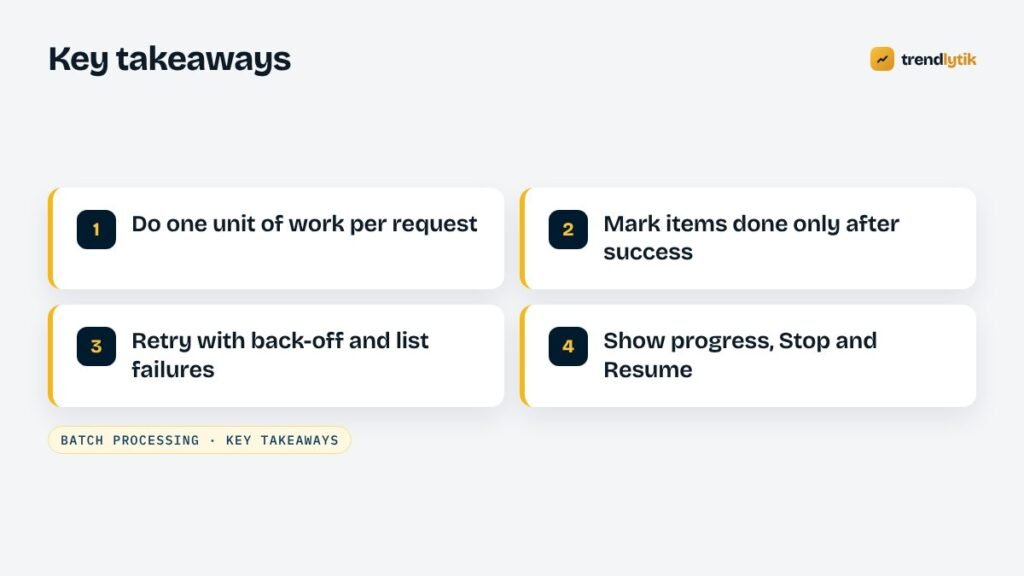
- One unit of work per request.
- Nonce and capability check on every endpoint.
- A processed flag, set only after success.
- Retries with back-off and a list of failures.
- Progress, Stop and Resume in the interface.
- A short run log.
Need a bulk importer, generator or migration that runs reliably on your hosting? Our custom plugin development service builds exactly this. Tell us what needs processing.
Sources and further reading
- Action Scheduler — a robust background queue library used by WooCommerce.
- WP-CLI — run one-off migrations from the command line.
Questions about this topic.
Can I just increase max_execution_time?
Sometimes, but many shared hosts cap it or enforce a separate web server timeout. Even where you can raise it, one long request is fragile: if it fails at item 400, you rarely know which items finished. Small requests are more reliable everywhere.
Is admin-ajax.php or the REST API better for queues?
Both work. The REST API gives cleaner URLs and JSON handling; admin-ajax.php is simple and familiar. What matters is a nonce, a capability check and one unit of work per request.
What if the editor closes the browser mid-way?
Mark each item as processed when it finishes. The next run skips anything already done, so the job simply resumes.

1 comment