Pinterest for Small Businesses: How to Drive Real Traffic to Your Website
Pinterest works more like a visual search engine than a social network, and pins keep sending visitors for months. How to set up a business account, design pins, write for Pinterest search and turn clicks into customers.
 pasindukw
· 7 min read

Most social networks are built around feeds: a post appears, gets attention for a day and disappears. Pinterest works differently. People use it to search for ideas — recipes, outfits, home projects, lesson plans, business tips — and save them for later. A good pin can keep sending visitors to your website for months, sometimes years. That makes Pinterest for small business owners a genuine source of website traffic.
In this guide
That makes Pinterest one of the most underrated traffic sources for small businesses, especially those whose customers plan, compare and look for inspiration. We use it ourselves for our own sites and for client campaigns. This guide explains how to set it up and how to turn pins into website visitors and customers.
Think of Pinterest as a search engine
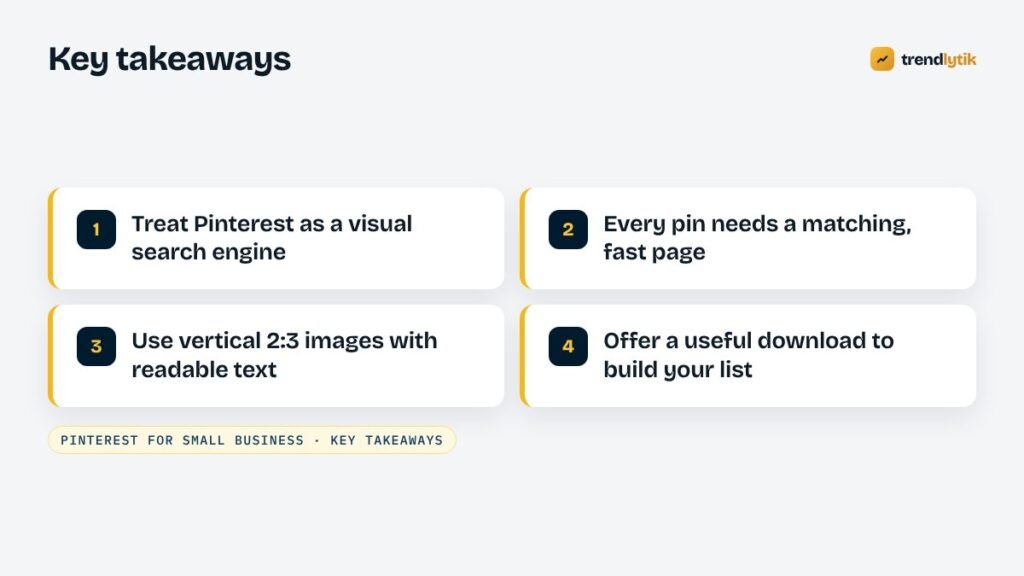
People come to Pinterest with intent: “easy lunchbox ideas”, “small bathroom renovation”, “website design for bakery”. Pinterest matches pins to those searches using the words in the pin title, description and board, the image itself and the page the pin links to. That has two big implications:
- Keywords matter. Write pin titles and descriptions in the words people search for.
- Content lasts. Because pins answer searches, they can be discovered long after you publish them.
Pinterest for small business: who it works best for
Pinterest is strongest where customers look for ideas visually or plan ahead: food and recipes, home and garden, interiors, weddings and events, fashion and beauty, health and wellness, education and parenting, travel, crafts and small business advice. Its audience has historically skewed towards women, which is why we built a Pinterest campaign around a starter website offer for women-led small businesses. If your customers are in these spaces, Pinterest deserves a place in your marketing.
Step 1: Set up a business account
- Create or convert to a Pinterest business account. It is free and gives you analytics and advertising options.
- Claim your website. Pinterest lets you verify your domain with a meta tag or an HTML file. Claimed sites show your profile on pins from your site and unlock analytics for them.
- Write a clear profile: your business name, what you do and the keyword-rich phrase that describes your niche.
- Create a handful of focused boards named the way people search — “Healthy Lunchbox Ideas” rather than “Stuff I Like”.
Step 2: Prepare your website
Pinterest sends visitors to pages, so the pages need to be ready:
- Every pin needs a matching page that delivers exactly what the pin promises — the recipe, the guide, the checklist, the offer.
- Pages must be fast on mobile. Most Pinterest users are on phones. See Core Web Vitals explained.
- Add Open Graph tags and structured data so pins created from your pages pick up the right title, description and image. Pinterest’s rich pins use this information to show extra details, such as article titles or recipe ingredients.
- Include a pin-ready image on pages you want people to save.
- Give visitors a next step: an email sign-up with a useful free download, a contact form or an offer.
Step 3: Design pins that get clicks

- Use a vertical format. Pinterest recommends a 2:3 aspect ratio, such as 1000 × 1500 pixels.
- Add a short, readable text overlay describing the benefit: “7 Lunchbox Ideas Kids Actually Eat” or “What a $100 Website Includes”.
- Show the result. A finished dish, a transformed room, a clean website on a phone.
- Keep branding subtle — a small logo or your website name.
- Create several pins per page with different images and headlines. Fresh pins tend to get more distribution than re-pinning the same image.
Step 4: Write for Pinterest search
Use Pinterest’s own search bar to find the phrases people use: type a topic and note the suggestions. Pinterest Trends shows what is growing and when interest peaks seasonally. Then:
- Put the main phrase in the pin title.
- Write a natural description of a couple of sentences using related phrases.
- Save pins to the most relevant board first.
- Plan seasonal content ahead — people often start searching for seasonal ideas well before the season itself.
From pin to customer

A click is only valuable if the visitor finds what they expected and has a reason to stay in touch. The pages that convert Pinterest traffic best usually offer:
- Genuinely useful content — a complete recipe, a detailed guide, a checklist.
- A free download in exchange for an email address — a printable, a planner, a template.
- A clear, specific offer for visitors who are ready to buy.
For example, a pin for a limited-time starter website should lead to a landing page explaining exactly what is included, what it costs and the conditions — like our own packages page — with a short form to claim it. A pin for “kids’ lunchbox ideas” should lead to the ideas themselves, with a printable weekly planner as the email sign-up, as on family food sites such as Yara’s Way — part of a family of connected sites we run.
A sustainable posting routine
- Publish one genuinely useful page or article each week.
- Create three to five pin designs for it.
- Schedule them over the following weeks using Pinterest’s scheduler.
- Create fresh pins for your best older pages each month.
- Review analytics monthly and make more of what works.
A routine you can keep for a year beats an intense burst you abandon after a month.
Measuring results
Pinterest Analytics shows impressions, saves and outbound clicks for each pin. Your website analytics shows what those visitors do next. Focus on outbound clicks and conversions — email sign-ups, enquiries, sales — rather than impressions. Look for patterns: which topics, designs and headlines bring the most engaged visitors? Create more of those.
Ideas for pins by business type
- Restaurants and food businesses: signature dishes, recipes inspired by your menu, catering ideas for events.
- Home services: before-and-after photos, maintenance checklists, “signs your appliance needs repair”.
- Online stores: products in use, gift guides, styling ideas, how-to-choose guides.
- Coaches and consultants: checklists, frameworks, templates and short guides.
- Education and parenting: printable activities, learning games, routines and planners.
- Web and design studios: website examples, checklists, tips for small business owners.
Each idea works best when it links to a page that expands on the pin and offers a sensible next step.
Free downloads that build an email list
Pinterest users love saving useful resources, which makes it an excellent channel for growing an email list. A short printable — a checklist, a weekly planner, a set of worksheets — offered in exchange for an email address turns one-off visitors into an audience you can reach again. Keep the download genuinely useful, deliver it instantly and follow up with helpful emails rather than constant sales messages. Brand every printable with your logo and website address so it keeps promoting you when it is printed or shared.
Pinterest ads
Once organic pins show which content resonates, Pinterest ads can amplify the best performers. Start small, promote pins that already perform well organically and send clicks to pages with a clear next step. Track results carefully against the cost.
Make your own pages easy to pin
Visitors who find your site through search or social media can become Pinterest promoters too. Include at least one vertical, pin-friendly image on key articles and guides, give every image descriptive alt text, and make sure your page titles and descriptions are clear — they are what appear when someone saves your page. A small “Save” button near the main image of your most useful guides can help, provided it loads lightly and does not slow the page.
Avoid covering your pages with aggressive pop-ups for Pinterest visitors. People arriving from a pin want to see what they clicked on; an email sign-up offered after they have read the content works far better than one that blocks it.
Common mistakes
- Treating Pinterest like Instagram — posting lifestyle shots with no link or keywords.
- Pins that link to a home page instead of the specific content promised.
- Square or landscape images that look small in the feed.
- Text too small to read on a phone.
- Pages that are slow or covered in pop-ups on mobile.
- Giving up after a few weeks, before pins have time to build momentum.
- Using images you do not have the rights to.
Is Pinterest right for you?
If your customers look for ideas, plan ahead or make visual decisions, Pinterest can become a steady source of website visitors at very low cost. It works best alongside a fast website with pages built to match what people search for. If you would like a site — or a landing page — built for Pinterest traffic, see our packages or tell us about your business.
Sources and further reading
- Pinterest Business — set up a business account and claim your website.
- Pinterest Trends — see what people search for and when interest peaks.
Questions about this topic.
Is Pinterest worth it for a service business?
It depends on whether your customers look for ideas visually. Home improvement, food, weddings, fashion, beauty, education, travel and design businesses often do well. A plumber may get less from it than a kitchen designer.
How often should I pin?
Consistency matters more than volume. A few fresh pins each week, linking to genuinely useful pages, usually beats bursts of activity followed by silence.
How long does it take to see results?
Pinterest traffic often builds gradually over several months as pins are distributed and saved. Pins can keep sending visitors long after they are published, unlike most social posts.