Restaurant and Food Truck Websites: What Actually Brings in Orders
Hungry customers want three things: the menu, a way to order and proof the food is good. How to build a restaurant or food truck website around them — with menus, ordering links, reviews and local SEO.
 pasindukw
· 7 min read

Restaurant websites have one of the simplest jobs on the internet and one of the highest failure rates. The visitor is usually hungry, on a phone, and deciding in the next five minutes where to eat. They want to see the food, check what it costs, and order or find you. Every slow slider, autoplaying video and PDF menu stands between them and their meal. A good restaurant or food truck website removes every obstacle between that visitor and their meal.
In this guide
We recently worked with Serendib Kitchen, a family-run Sri Lankan food truck in Hillsboro, Oregon. This guide uses that project and others to show what a restaurant or food truck website needs — and what it can safely skip.
Think about the hungry visitor
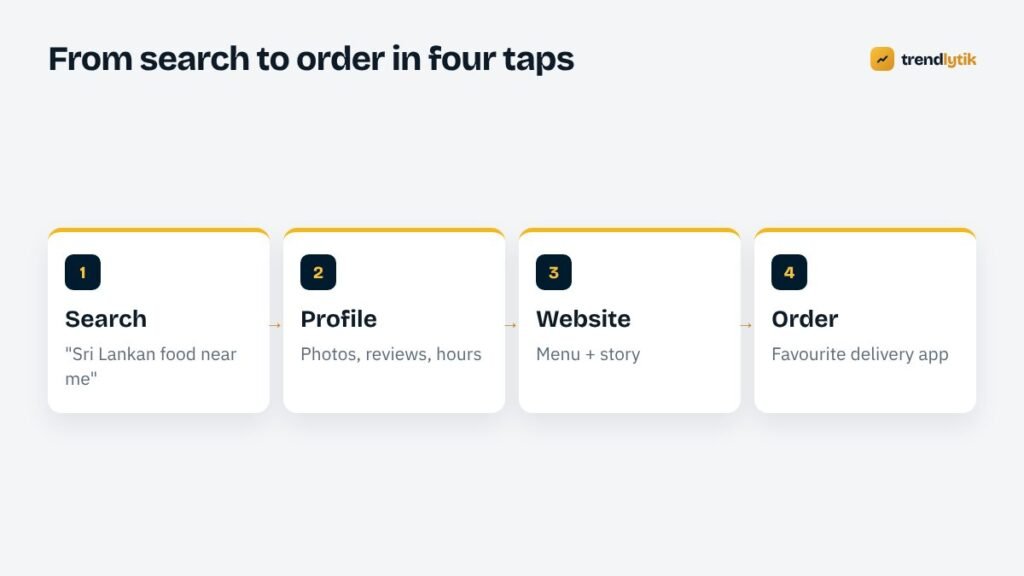
Most restaurant visits follow the same short path. Someone searches for a cuisine or dish nearby, sees your listing in the map results, glances at photos and reviews, taps through to your website to check the menu, and then orders or sets off. Your website’s job is to make the middle of that journey effortless.
That means the most important information belongs at the top of the home page on a phone screen: what you serve, where you are (or will be today), when you are open, and a big button to order.
The six essentials

1. A menu customers can actually read
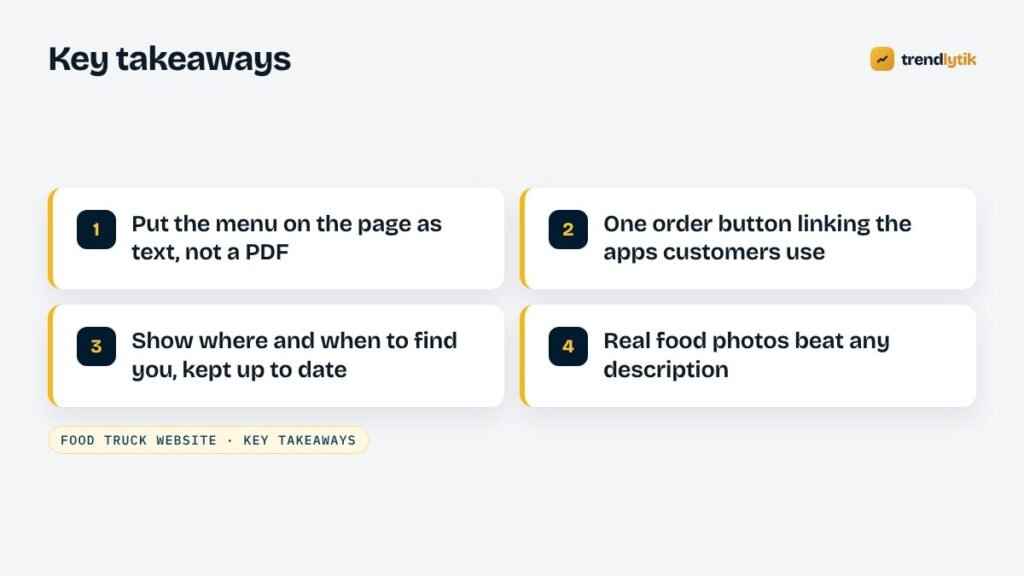
Put your menu on a web page as real text: dish names, short descriptions, prices and dietary markers such as vegetarian, vegan, spicy or contains nuts. A text menu loads instantly, is readable on any phone, can be updated in minutes and is understood by search engines. A PDF menu fails on all four counts.
Descriptions matter more than many owners think. For cuisines that are new to some customers — Sri Lankan kottu, hoppers or string hoppers in Oregon, for example — one line explaining what the dish is turns curiosity into an order.
2. An order button that goes where customers already are
Your customers have favourite delivery apps and they rarely want a new one. Serendib Kitchen’s navigation has a single Order menu that links to Square online ordering, Uber Eats, DoorDash and Grubhub. One tap, and customers are in the app they already use with their address and payment saved.
Place the order button in the header so it follows visitors down the page, and repeat it near the menu.
3. Where and when
For restaurants, show the address with a map link, parking or access tips and opening hours. For food trucks, show where you will be — a regular spot such as a food cart pod, or a weekly schedule. Make sure the website, Google Business Profile and social media all say the same thing. Nothing generates angry reviews faster than a customer arriving at a closed window.
4. Real food photography
Good photos of your actual dishes sell better than any description. They do not need a professional studio: natural light, a clean background and a phone held steady go a long way. Do compress them before uploading — large, uncompressed images are the most common reason restaurant sites are slow. Avoid stock photos of generic food; customers can tell.
5. Reviews and social proof
Show what diners say. Serendib Kitchen includes a Google Reviews section on the home page, so visitors see recent opinions without leaving the site. Quotes from local press, awards and community events all help too. Always use genuine reviews and keep them up to date.
6. Catering and events
Catering orders, private events and corporate lunches are often the most profitable work a restaurant or food truck does. Give them their own short page or section with what you offer, minimum sizes, lead time and a simple enquiry form or phone number.
Your story is a reason to choose you
People choose independent restaurants because of the people behind them. A short About section — who you are, where your recipes come from, why you started — turns a menu into an experience. Serendib Kitchen tells the story of a family bringing Sri Lankan flavours from the island to the Pacific Northwest, which is exactly what makes the food worth trying.
Keep it short and warm, and put a photo of the people next to it.
Local SEO for restaurants
Most restaurant discovery happens through local search, so the basics in our local SEO guide apply. For food businesses, focus especially on:
- Google Business Profile. Choose an accurate primary category, add your menu and ordering links, keep hours current — including holidays — and upload new food photos regularly.
- Cuisine and dish keywords. Use the words people search: “Sri Lankan food”, “rice and curry”, “kottu”, “vegan curry”. Put them naturally in page titles, headings and menu descriptions.
- Location wording. Mention your city and neighbourhood, and the area you serve for delivery or catering.
- Reviews. Ask happy customers, reply to every review and never offer incentives in exchange for them.
- Consistent listings. Make sure delivery apps, Yelp, TripAdvisor, Apple Maps and Bing show the same name, phone and hours.
Structured data for restaurants
Structured data helps search engines understand your business precisely. The schema.org Restaurant type (or FoodEstablishment for food trucks and similar businesses) supports properties such as your address, opening hours, phone number, price range, the cuisines you serve (servesCuisine), a link to your menu (hasMenu) and whether you accept reservations. Add it once in your theme and keep it in sync with your real details.
What a food truck website needs
A food truck is a moving business, and its website has to keep up. A few extras make a big difference:
- A “where are we today” line near the top of the home page. Even if you usually park at the same pod, say so clearly — Serendib Kitchen’s site names Foodlandia in Hillsboro so nobody has to guess.
- A simple weekly schedule if you rotate between locations, markets or events. A plain list you can edit in a minute beats a complicated calendar plugin.
- Weather and sell-out notices. A short banner — “Closed today due to weather” or “Sold out of hoppers” — saves customers a wasted trip and earns goodwill.
- Event bookings. Weddings, office parties and festivals are often where a truck earns most. Make the booking enquiry easy to find, with the details you need: date, location, guest numbers and budget.
- Social links that are actually active. Many truck customers follow along on Instagram or Facebook. Link to the accounts you post on, and leave out the ones you do not.
Delivery apps or direct ordering?
Delivery apps bring new customers and handle payments and drivers, but they charge the restaurant for the service and keep the customer relationship. Direct online ordering — often through your point-of-sale provider — gives you the customer’s details and better margins, but you have to promote it yourself. Many restaurants use both: apps for discovery and delivery, a direct ordering link for regulars and pickup. Your website can support either; just make the choice clear to customers rather than presenting six equal buttons.
Speed and mobile design
Restaurant visitors are on phones, often on mobile data, often standing on a street corner. Test your site that way:
- Does the menu appear within a couple of seconds?
- Can you tap the phone number and the order button easily with a thumb?
- Does anything jump around while the page loads?
- Is text readable without zooming?
Heavy homepage sliders are a common culprit for slow restaurant sites. A single strong photo with your name, cuisine and order button usually performs better — and converts better too. Our guide to Core Web Vitals explains what to measure.
What you can skip
- Autoplaying video and music. They slow the page and annoy visitors.
- Splash pages and pop-ups before the menu.
- Complex animations. Nobody orders dinner because a heading slid in from the left.
- A blog you will not update. An occasional news post about new dishes or events is great; an abandoned blog from three years ago is not.
Keeping it current
The best restaurant website is the one that is always accurate. Choose a setup where you can change prices, hide a sold-out dish, update hours and add photos yourself in a few minutes. On WordPress, a simple menu editor and well-structured pages make that easy without touching code.
Getting started
A restaurant or food truck does not need an elaborate website. It needs a fast one that shows the food, makes ordering effortless and tells customers where and when to find you. For many small food businesses, our limited-time starter website covers exactly that. If you need custom menus, catering enquiries or multiple locations, our custom theme service builds them around your kitchen. Tell us about your food business.
Sources and further reading
- schema.org: Restaurant — structured data properties for restaurants and food businesses.
- Google Business Profile — add your menu, hours and ordering links to Maps.
Questions about this topic.
Should my menu be a PDF?
Avoid PDF-only menus. They are hard to read on phones, slow to load and harder for search engines to understand. Put the menu on the page as text, and offer a PDF only as an extra for printing.
Do I need my own online ordering if I am on delivery apps?
Not necessarily. Many restaurants link to the apps customers already use. A direct ordering option can be worth adding later for pickup orders, since it gives you the customer relationship.
How do I show changing food truck locations?
Keep a simple schedule on the home page, update your Google Business Profile hours and post your location on social media. Consistency matters more than technology.