How Much Does a Website Cost? A Clear Breakdown for Small Businesses
Website quotes range from a hundred dollars to tens of thousands. Here is what actually drives the price — pages, design, features, content and ongoing costs — and how to budget without overpaying or under-buying.
 pasindukw
· 7 min read
“How much does a website cost?” is one of the most common questions small business owners ask — and one of the most frustrating to answer, because the honest reply is “it depends”. Quotes for what sounds like the same thing can range from a hundred dollars to tens of thousands. That spread is not random. It comes from a handful of decisions about scope, design, features, content and ongoing care.
In this guide
This guide breaks those decisions down so you can understand any quote you receive, budget sensibly and avoid both overpaying and under-buying. We will use our own packages as a reference point, including the limited-time $100 Starter Website, but the principles apply to any developer or agency.
Why prices vary so widely
Two quotes of very different sizes are usually describing two different projects. One might be a pre-made template with your logo dropped in. Another might include custom design, eight service pages written for search, a booking system, migration from your old site with redirects, structured data, speed optimisation and training. Both are “a website”. Only one is likely to bring in steady enquiries from search.
Location also plays a part. Developers in different countries charge different rates, and many businesses in the United States, the UAE and Australia now work with experienced developers in other countries — including Sri Lanka — for better value. What matters is the scope, the quality of the work and how well the developer communicates, not where they sit.
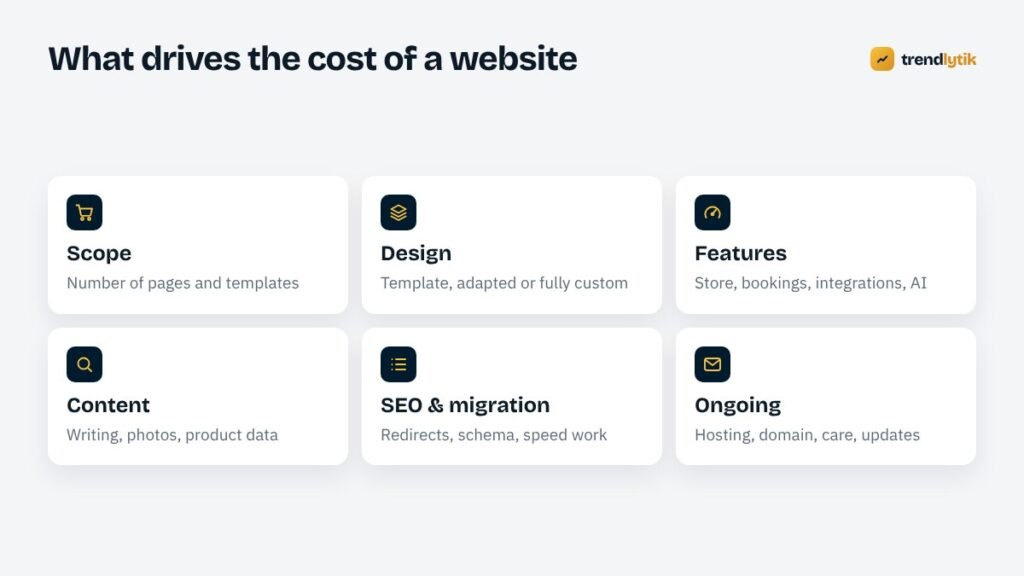
The six things that drive cost
1. Scope: pages and templates
More pages mean more work, but the bigger factor is the number of distinct templates. Ten service pages that share one layout are far cheaper than ten unique designs. A typical small business site needs a home page, an about page, a contact page, a service template, perhaps a project or portfolio template and a blog. Each new type of page adds design, development and testing time.
2. Design: template, adapted or custom
- Template-based: a pre-made design with your logo, colours and content. Fastest and least expensive.
- Adapted: a template significantly customised to fit your brand and content.
- Fully custom: designed around your business, your customers and your conversion goals, then hand-built. Costs more upfront and usually performs best — see why we build custom themes.
3. Features
Features are where budgets grow fastest. Each of these adds real work, testing and ongoing maintenance:
- Online store with payments, shipping and stock.
- Booking or appointment systems.
- Membership areas, client portals or logins.
- Multilingual content.
- Integrations with CRMs, email platforms, accounting or inventory systems.
- Calculators, configurators and other interactive tools.
- AI features such as product description generators or writing assistants.
4. Content
Good words and photos sell, and they take time to produce. Someone has to write service descriptions, take or source photos, prepare product data and enter it all. If you provide finished content, the build is cheaper and faster. If the developer writes, photographs or enters hundreds of products, expect that to be priced separately.
5. SEO and migration
If you are replacing an existing site that already ranks, protecting those rankings is part of the job: mapping old URLs, setting up redirects and carrying over titles and content. We explain the process in how to redesign without losing rankings. New sites need SEO foundations too — structured data, sitemaps, Search Console setup and fast templates.
6. Ongoing costs
A website keeps costing a little after launch. Budget for:
- Domain name — renewed yearly.
- Hosting — monthly or yearly, depending on the plan.
- Licences — any premium themes, plugins or services.
- Email — business email accounts and transactional email services.
- Maintenance — updates, backups, security and small changes. See our maintenance checklist.
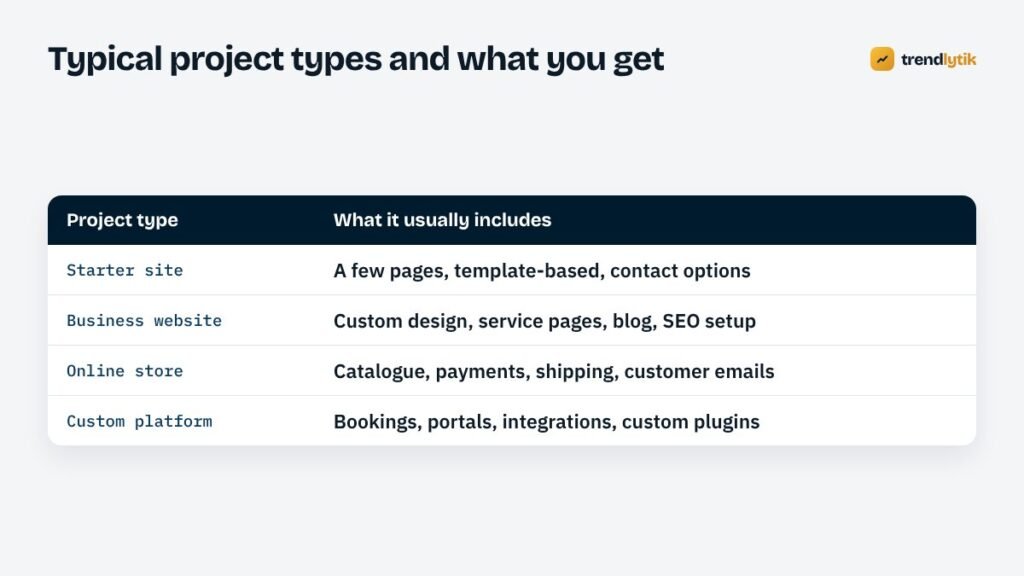
Typical project types
Starter website
A few well-organised pages on a proven foundation, with your branding and clear ways to contact you. Ideal for a new business, a sole trader or anyone who simply needs a credible presence online. Our $100 Starter Website sits here, with its conditions written out in full. We explain exactly what a site like this can and cannot do in our honest guide to $100 websites.
Business website
A custom-designed site built to rank and convert: dedicated service pages, a portfolio, a blog, structured data, speed optimisation and a design that reflects your brand. This is the right choice when your website is a main source of leads.
Online store
A catalogue with payments, shipping, tax settings, customer accounts and transactional emails. Cost depends heavily on the number of products, variations and integrations. Our WooCommerce launch checklist shows how much is involved in doing it properly.
Custom platform
Booking systems, client portals, directories, multi-site networks or tools with significant custom logic. These are scoped individually, usually in milestones.
Hidden costs to ask about
- Revisions: how many rounds are included, and what extra rounds cost.
- Content entry: who adds your text, images and products?
- Licences: are premium plugins included, and who owns the licence afterwards?
- Stock images and fonts: are they properly licensed for commercial use?
- Training and handover: will you learn how to update the site?
- Post-launch support: is there a warranty period for bugs?
- Monthly fees: is the site rented, or do you own it outright?
DIY website builders: the real cost
Website builders such as Wix and Squarespace, and hosted stores such as Shopify, can look cheaper because you pay a monthly subscription instead of a project fee. They are a reasonable choice for some businesses. Remember to count your own time, any paid apps or add-ons you need, transaction fees on some plans and the cost of moving later if you outgrow the platform. Our comparison of WordPress, Wix and Shopify goes into the trade-offs.
How to budget sensibly
- Start with goals, not features. What should the website achieve in the next twelve months — calls, bookings, sales, credibility?
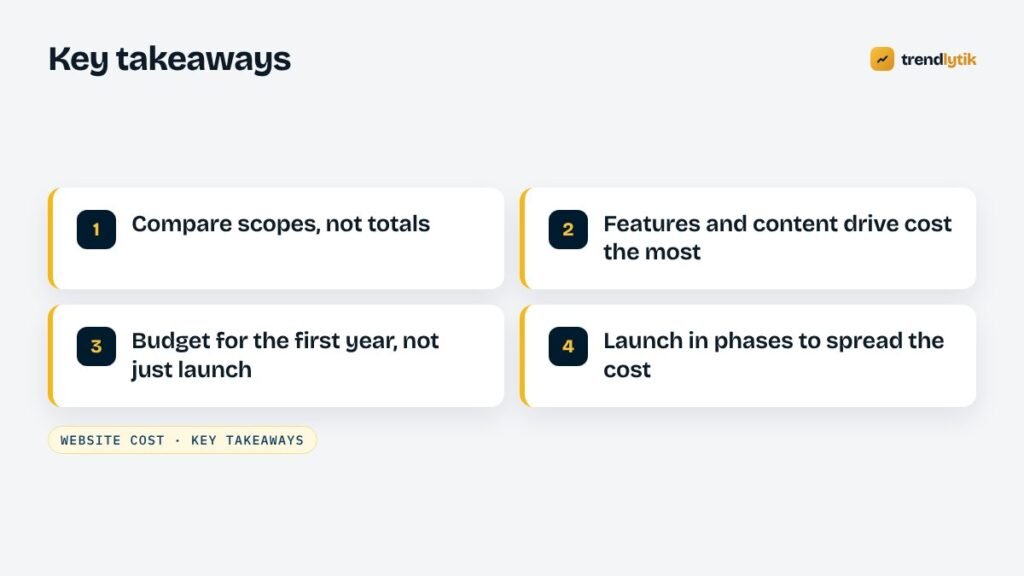
- List must-haves and nice-to-haves. Build the must-haves now; add the rest in later phases.
- Prepare your content early. It is the most common cause of delays and extra costs.
- Budget for the first year, not just launch. Include hosting, domain, maintenance and some time for improvements.
- Ask for a fixed, written scope. A clear proposal protects both sides.
Is a cheap website a false economy?
Not necessarily. A low-cost starter site that is fast, mobile-friendly and owned by you is excellent value for a business that mainly needs to be found and contacted. It becomes a false economy when you need something it was never designed to do — rank for competitive searches, sell online, take bookings — and try to force it. The trick is to buy what fits your stage, on a foundation that can grow. Because WordPress keeps your content, moving from a starter site to a full custom build later does not mean starting over.
Signs a quote is too good to be true
- No written scope — just a price and a promise.
- Guaranteed first-page rankings.
- The developer registers the domain in their own name.
- No admin access for you.
- Unusually short timelines for complex features.
- Portfolio sites that are slow, broken or offline.
Our guide to questions to ask before hiring a WordPress developer covers these in more detail.
Ways to reduce cost without cutting corners
- Launch in phases. Start with the pages and features that bring in customers now; add the blog, the store or the booking system once the core site is working.
- Reuse templates. Ask for one strong service template rather than a unique design for every service.
- Provide your own content. Clear text and decent photos from you can save days of work.
- Avoid unnecessary plugins and licences. Each one adds cost now and maintenance later.
- Choose sensible hosting. Very cheap hosting often costs more in slow pages and support time; the most expensive plan is rarely needed for a small business. See how to choose WordPress hosting.
What does a website cost in Sri Lanka?
We are often asked this by local businesses. The same six drivers apply, with a few local considerations: a .lk domain is registered through the LK Domain Registry and has its own yearly fee; payment gateways for local online stores come with their own setup requirements; and many customers browse almost entirely on mobile data, which makes speed and lightweight design even more important. Prices vary widely between freelancers and agencies, so compare scope carefully — and check that the domain will be registered in your own name.
Getting an accurate quote
The fastest way to an accurate price is a short brief: what your business does, who your customers are, which pages and features you need, whether you are replacing an existing site, what content you already have and when you need to launch. With that, any good developer can give you a fixed price and timeline.
See our packages for a starting point, or send us your brief and we will reply with a clear, written proposal.
Sources and further reading
- LK Domain Registry — register and renew .lk domains in Sri Lanka.
- WordPress.org — the free, open-source software most business sites run on.
Questions about this topic.
Why do website quotes vary so much?
Because they rarely describe the same project. One quote may include custom design, content writing, SEO migration and training; another may be a template with your logo. Compare scopes, not totals.
What ongoing costs should I budget for?
Domain renewal, hosting, any premium plugin or theme licences, email services, and maintenance — updates, backups and small changes. Many businesses also budget for occasional content and SEO work.
Is it cheaper to build the website myself?
In money, often yes. In time, rarely. If your time is better spent running the business, a professional build usually pays for itself through fewer mistakes, better speed and more enquiries.